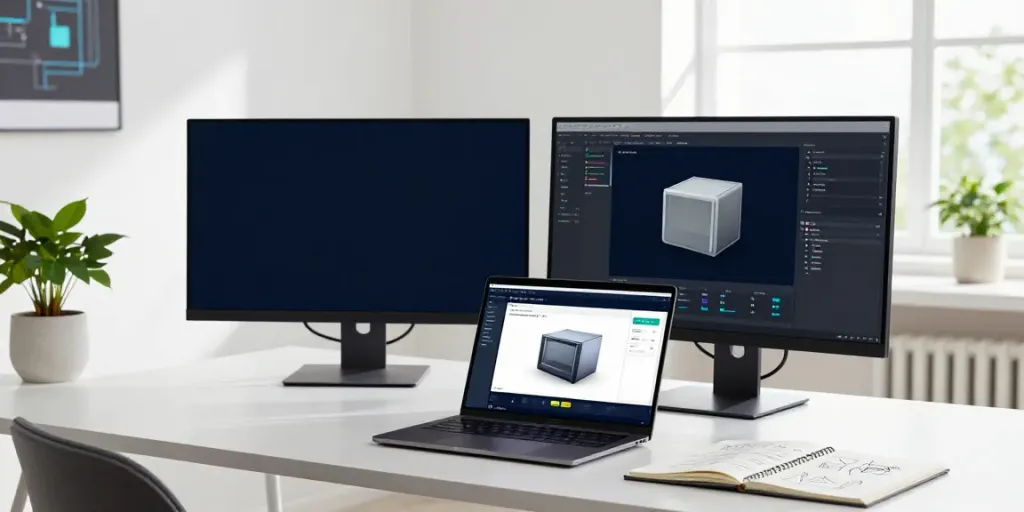
Understanding Custom 3D Configurator Software
In today's competitive marketplace, the importance of personalized customer experiences cannot be overstated. One powerful tool that facilitates this personalization is the custom 3D configurator, which allows users to visualize and customize products according to their unique preferences. This software empowers manufacturers and retailers to enhance user engagement, streamline the sales process, and ultimately boost conversion rates. In the following sections, we will explore the fundamental aspects of custom 3D configurators, their key features, and the benefits they offer to various industries.
What is a Custom 3D Configurator?
A custom 3D configurator is an advanced web-based application that allows users to create, visualize, and modify product designs in three dimensions. By leveraging sophisticated 3D graphics and user-friendly interfaces, these tools enable customers to interactively select product options, materials, and configurations, seeing instant visual feedback on their choices. This technology is particularly vital for industries that deal with complex products, such as furniture, automotive, and industrial machinery, where customization plays a significant role in consumer decision-making.
Key Features of Custom 3D Configurators
- Interactive 3D Visualization: Users can manipulate 3D models to see changes in real-time, providing an engaging and informative experience.
- Guided Selling: Configurators can offer guided workflows that direct users through the customization process, ensuring they understand their choices and limitations.
- Integration Capabilities: A robust configurator can integrate with various business systems, including CRM, ERP, and ecommerce platforms, to streamline operations.
- Live Pricing: As users make selections, real-time calculations provide immediate pricing feedback, allowing for transparency and informed purchasing decisions.
- Document Generation: Configurators can generate customized quotes, proposals, and production documents based on the selected configurations.
Benefits for Manufacturers and Retailers
Implementing a custom 3D configurator can revolutionize the way manufacturers and retailers operate. Here are some of the primary benefits:
- Enhanced Customer Engagement: By allowing customers to visualize products in real-time, businesses can significantly improve user satisfaction and engagement.
- Reduced Errors: With guided selections and automated documentation, the risk of human error during the order processing phase is minimized.
- Increased Sales Conversion Rates: As customers gain confidence in their purchase decisions through interaction, conversion rates often see a marked improvement.
- Streamlined Workflow: Fully integrated configurators can automate many aspects of the sales and production process, saving time and resources.
Connecting Your Business Systems
Integrating a custom 3D configurator with existing business systems is critical for maximizing its effectiveness. By creating seamless connections, businesses can enhance their operational efficiency and data accuracy.
Integrating CRM and ERP with Custom 3D Configurators
One of the strongest advantages of custom 3D configurators is their ability to integrate with Customer Relationship Management (CRM) and Enterprise Resource Planning (ERP) systems. This integration allows for:
- Data Synchronization: Customer information, order history, and transaction details can flow seamlessly between systems, ensuring that sales teams have up-to-date information at their fingertips.
- Improved Project Management: By linking the configurator to project management tools, teams can track the status of custom orders, manage timelines, and improve accountability across departments.
- Enhanced Reporting: Consolidated data enables businesses to generate insightful reports, analyze performance metrics, and make informed strategic decisions.
Streamlining Workflows for Enhanced Efficiency
To maximize efficiency, it is essential to define clear workflows that incorporate various tasks from configuration to order fulfillment. This can involve:
- Mapping Product Configurations: Ensuring that specifications accurately represent the product choices made by customers and that these configurations can be translated into actionable production instructions.
- Automating Follow-Up Processes: Setting reminders and notifications for sales staff based on customer interactions can improve customer care and lead management.
- Connecting to Supply Chains: Real-time inventory updates within the configurator can help ensure customers are aware of stock levels, allowing them to make informed choices.
Real-World Examples of Successful Connections
Multiple industries have successfully integrated custom 3D configurators into their operations, yielding impressive results. For instance:
- Automotive Industry: Car manufacturers often use 3D configurators enabling customers to build their vehicles online. This interactive experience not only captures customer interest but allows for detailed customization, directly linked to the production planning system.
- Furniture Retail: Companies have employed 3D configurators to let customers design furniture pieces according to their specifications, which are then directly sent to manufacturing, streamlining the workflow from design to delivery.
Building an Effective User Experience
The user experience (UX) is paramount in ensuring the success of any custom 3D configurator. A well-designed interface can enhance usability and customer satisfaction.
Designing Intuitive Interfaces for Custom 3D Configuration
Creating an intuitive interface involves understanding user needs and preferences. Key principles include:
- Consistency: Ensure that visual elements and navigation are consistent throughout the configurator to avoid confusion.
- Accessibility: Design for diverse users, making the configurator usable across different devices and for individuals with varying abilities.
- Feedback Mechanisms: Incorporate immediate feedback for user interactions, such as visual changes in the 3D model or dynamic pricing updates.
Guided Selling vs. Self-Service Options
When designing custom 3D configurators, businesses need to consider the balance between guided selling and self-service options:
- Guided Selling: This approach provides customers with a step-by-step process, which can help less experienced users navigate complex configurations effectively.
- Self-Service: More experienced users may prefer to explore configurations at their own pace, allowing for greater creativity and personalization.
Analyzing User Behavior for Continuous Improvement
To enhance the configurator's effectiveness, businesses should collect and analyze user behavior data. This analysis can reveal:
- Common User Paths: Understanding how users typically navigate through configurations can identify areas for improvement.
- Points of Frustration: Identifying where users abandon configurations can help pinpoint UX issues that need addressing.
- Feature Usage: Tracking which features are most used can guide future improvements and feature development.
Challenges in Implementing Custom 3D Configurators
While the benefits of custom 3D configurators are significant, businesses often face challenges during implementation. Addressing these obstacles is crucial for successful adoption.
Common Misconceptions and Barriers
Some of the prevalent misconceptions include:
- Cost Concerns: Many companies underestimate the long-term savings and ROI offered by custom configurators, focusing only on initial investments.
- Complexity of Integration: Integration with existing systems can seem daunting, but with the right approach, it can be streamlined.
- Perceived User Resistance: There may be a fear that customers will resist using new technology, but many users appreciate enhanced capabilities.
Strategies for Overcoming Implementation Obstacles
To navigate these challenges effectively, companies should employ various strategies:
- Conduct Thorough Research: Prioritize understanding the market and customer needs to ensure the configurator aligns with expectations.
- Pilot Programs: Implementing a pilot program can help test functionalities, gather user feedback, and demonstrate value before a full launch.
- Training and Support: Providing adequate training for both employees and customers will enhance adoption and usability.
Case Studies: Learning from Implementation Success and Failures
Examining case studies can provide valuable insights into what works and what doesn’t. For example, a leading furniture manufacturer implemented a custom 3D configurator and saw a 40% increase in sales due to improved customer engagement. Conversely, an electronics brand faced challenges due to inadequate user training, which led to a 30% drop in completed configurations.
Future Trends in Custom 3D Configuration for 2026 and Beyond
As technology continues to evolve, so too will the capabilities and expectations surrounding custom 3D configurators. Staying ahead of trends is crucial for businesses aiming to maintain a competitive edge.
Emerging Technologies Shaping the Industry
Several emerging technologies are set to redefine the landscape of custom 3D configurators:
- Augmented Reality (AR): AR will allow users to visualize products in their own environments, enhancing the decision-making process.
- Artificial Intelligence (AI): AI can provide personalized recommendations based on user preferences and behavior, further enhancing the configurator experience.
- Cloud Computing: Cloud-based solutions will facilitate better data sharing and collaboration across various systems in real-time.
Predicted Changes in User Expectations
As customers become more tech-savvy, their expectations will evolve:
- Faster Load Times: Users will demand quicker responses and interactions from configurators.
- Enhanced Customization: Customers will expect even greater levels of personalization in products and experiences.
- Seamless Integrations: Users will anticipate that configurators will easily integrate with other tools and platforms without friction.
Preparing for the Future: What Businesses Should Do
To stay competitive, businesses should:
- Stay Informed: Regularly update knowledge about emerging technologies and market trends.
- Invest in Training: Ensure that both staff and customers receive ongoing education about new tools and features.
- Gather Feedback: Continuously collect user feedback to adapt and improve the configurator in line with evolving expectations.
What industries benefit most from custom 3D configurators?
Industries that benefit most encompass manufacturing, furniture, automotive, and home improvement sectors. These areas rely heavily on customization to meet customer needs and preferences.
How can I create a custom 3D configurator for my products?
Creating a custom 3D configurator involves selecting the right software, defining the product rules and options, and ensuring proper integration with existing systems.
Do custom 3D configurators improve sales conversion rates?
Yes, many businesses report improved sales conversion rates after implementing custom 3D configurators, as they enhance user experience and support informed purchasing decisions.
What are the integration capabilities of custom 3D configurators?
Custom 3D configurators can integrate with various systems, including CRMs, ERPs, PIMs, and ecommerce platforms, enabling seamless flow of information and processes.
How do I measure the success of a custom 3D configurator?
Success can be measured through metrics such as increased sales, reduced errors, user engagement levels, and feedback from both customers and sales staff.